Relevance AI - When You Want Results, Not DIY Projects
You've spent weeks building agents in Make.com and n8n. They work, but they need constant tweaking. What if you could skip all that and deploy working agents today?
The Honest Truth About Relevance AI
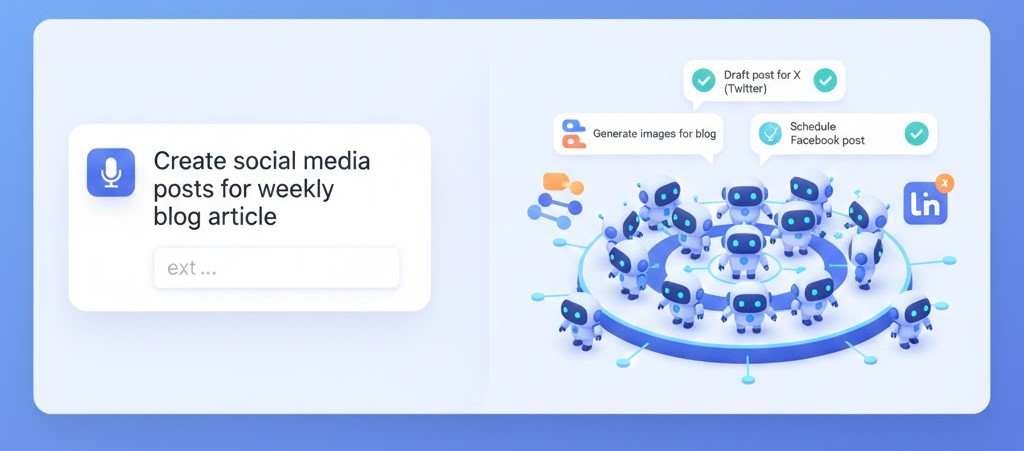
Relevance AI is the "hire a team" approach vs. the "build robots yourself" approach.
The Tradeoff
Make.com/n8n (DIY):
- ✓ Build anything you imagine
- ✓ Full control and customization
- ✓ Lower cost per execution
- ✗ Weeks to build and perfect
- ✗ Constant maintenance required
- ✗ You're the support team
Relevance AI (Managed):
- ✓ Pre-built agents that work immediately
- ✓ Professional templates and patterns
- ✓ Faster time to results
- ✓ Built-in best practices
- ✗ Premium pricing ($199+/month)
- ✗ Less customization flexibility
- ✗ Vendor lock-in
When It Makes Sense
Use Relevance AI if:
- Your time is worth $100+/hour
- You need sales automation NOW
- You tried building agents and it's taking too long
- You want to test AI agents without learning platforms
- You have budget for premium tools ($200+/month)
- You value reliability over flexibility
Stick with Make.com/n8n if:
- You enjoy building and tinkering
- Budget is tight
- You want maximum control
- You're technical or learning tech skills
- You have unique workflows no template covers
What You Actually Get
Think of Relevance AI as hiring specialized AI workers:
Sales Agents:
- Lead research and qualification
- Outbound prospecting
- Meeting prep and briefings
Content Agents:
- Content writing and repurposing
- SEO optimization
- Social media management
Support Agents:
- Customer question handling
- Knowledge base integration
- Ticket routing
Research Agents:
- Competitor intelligence
- Market research
- Data enrichment
Getting Started (20 Minutes)
Step 1: Sign Up
- Go to relevance.ai
- Click "Get Started"
- Choose Free Trial (100 credits/day)
- Create account
Credits explained:
- Each AI action uses credits
- 100/day = testing only, not production
- Paid plans start at $199/month for real usage
Step 2: Connect Your Stack
Before building agents, connect your tools.
Connect OpenAI (Bring Your Own Key)
Why? Save money by using your own OpenAI API instead of Relevance's.
- Settings → Integrations
- Click "Add OpenAI"
- Paste your API key
- Save
Savings: 40-60% on AI costs
Connect Gmail
- Integrations → Gmail
- Sign in with Google
- Grant permissions
- Test connection
Connect Your CRM
Supported:
- HubSpot
- Salesforce
- Pipedrive
- Close
- Or use Google Sheets as simple CRM
Pick one, connect it.
Step 3: Explore Templates
Left sidebar → Templates
Key templates to start with:
- Lead Research Tool - Research leads automatically
- Email Responder - Handle customer emails
- Content Repurposer - Turn blogs into social posts
- Meeting Summarizer - Summarize and extract action items
- Competitor Analyst - Track competitor activity
Pro tip: Start with ONE template. Don't try to set up everything on day 1.
Building Your First Agent: Lead Researcher
This agent takes a lead's email or company name and gives you a detailed research report.
Step 1: Create from Template
- Templates → Search "Lead Research"
- Click "Lead Research Tool"
- Click "Use Template"
- Name it:
My Lead Researcher - Click "Create"
Step 2: Understanding the Architecture
Relevance AI agents have 3 components:
Tools
Pre-built actions the agent can use:
- Google search
- Website scraping
- LinkedIn lookup
- Email finding
- Data extraction
Knowledge
Information your agent can access:
- Your product documentation
- Pricing information
- FAQs
- Case studies
- Company information
Triggers
What starts the agent:
- Manual input (you paste a lead)
- Email (forward leads to an address)
- Webhook (from your CRM)
- Zapier integration
Step 3: Configure Inputs
Define what information the agent needs.
Click "Inputs" section:
-
lead_name (required)
- Type: Text
- Description: "Full name of the lead"
-
lead_email (required)
- Type: Email
- Description: "Lead's email address"
-
company_name (optional)
- Type: Text
- Description: "Lead's company (if known)"
Step 4: Customize the Research Flow
The template includes these steps:
Step 1: Extract company domain from email
Step 2: Search Google for LinkedIn profile
Step 3: Scrape LinkedIn data
Step 4: Visit company website
Step 5: Analyze everything with AI
Step 6: Score lead 1-10
You customize what matters to you.
Customize the Analysis Prompt
Click on "Analyze" step.
Default prompt:
Analyze this company for our sales team.
Better prompt (add your criteria):
Analyze this lead for our [YOUR PRODUCT/SERVICE] sales team.

Lead Information:
Name: {{lead_name}}
Email: {{lead_email}}
Company: {{company_name}}
LinkedIn: {{linkedin_data}}
Website: {{website_data}}

Provide detailed analysis:

1. COMPANY OVERVIEW
   - Industry and market
   - Company size (estimate from website)
   - Recent news or funding
   - Technology stack they use

2. BUYING SIGNALS
   - Do they have pain points we solve? (specific examples)
   - Budget indicators (company size, funding, growth)
   - Decision-maker identification

3. LEAD QUALITY SCORE (1-10)
   - 9-10: Perfect fit, high intent, decision-maker
   - 7-8: Good fit, some intent, relevant role
   - 5-6: Possible fit, needs nurturing
   - 1-4: Poor fit, wrong market/role

4. RECOMMENDED APPROACH
   - Best talking points for initial outreach
   - Pain points to emphasize
   - Potential objections to prepare for
   - Suggested first meeting agenda

5. RED FLAGS (if any)
   - Why this might not be a good fit
   - Potential deal-breakers

Format as clear, actionable brief for sales team.
This prompt gives you actually useful research, not generic summaries.
Step 5: Add Your Knowledge Base
Agents work better when they know about your product.
Click "Knowledge" tab:
- Click "Add Knowledge"
- Choose source:
- Upload Files: PDFs, docs
- Website: Your site URL
- Text: Paste content directly
- Add key documents:
- Product overview
- Pricing sheet
- Case studies
- Ideal customer profile (ICP)
Why? Agent references this when scoring leads and suggesting approaches.
Step 6: Test the Agent
- Click "Test" (top right)
- Enter test lead:
- Name:
John Smith - Email:
john@techstartup.com - Company:
Tech Startup Inc
- Name:
- Click "Run"
- Wait 30-60 seconds
- Review the research report
What to check:
- ✓ Did it find LinkedIn?
- ✓ Did it visit the website?
- ✓ Is the analysis relevant and specific?
- ✓ Is the score justified?
- ✓ Are recommended talking points useful?
If results are weak: Improve your analysis prompt with more specific criteria.
Going Live: Production Setup
Option 1: Manual Trigger (Simplest)
Use the agent manually when you get new leads:
- New lead comes in
- Open Relevance AI
- Click your agent
- Paste lead info
- Get research report
- Use it for outreach
Good for: < 10 leads/day
Option 2: Email Trigger (Automated)
Forward leads to your agent automatically:
- Settings → Email Trigger
- Get your unique email:
research-leads@youraccount.relevance.ai - Set up forwarding:
- From CRM: Forward new leads
- From email: Create filter/rule
- Agent runs automatically
- Get results via:
- Email notification
- Slack message
- CRM update
Good for: 10-50 leads/day
Option 3: Webhook/API (Advanced)
Integrate directly with your CRM:
- Settings → API
- Get webhook URL and API key
- Set up in your CRM:
- HubSpot: Workflow action
- Zapier: Zap action
- Custom: API POST request
- Agent runs on CRM trigger
- Results pushed back to CRM
Good for: 50+ leads/day, enterprise scale
Real Use Case: Sales Agency Transformation
Company: B2B sales agency, 5 sales reps
Before Relevance AI:
- 3 hours per rep researching leads manually
- 5 leads researched per day per rep
- Total: 25 leads/day, 15 hours spent
After Relevance AI:
- 2 minutes per rep reviewing AI research
- 25 leads researched per day per rep
- Total: 125 leads/day, 2.5 hours spent
Results:
- 5x more leads researched
- 12.5 hours/day saved (team-wide)
- $3,000/month saved in research time
- Cost: $199/month for Relevance AI
- Net benefit: $2,800/month
Advanced Strategies
Strategy 1: Multi-Agent Workflows
Don't use one agent for everything. Create specialized agents:
Agent 1: Lead Researcher (what we built)
Agent 2: Competitor Tracker (monitors specific competitors)
Agent 3: Meeting Prep (prepares briefs before calls)
Agent 4: Follow-up Writer (crafts personalized follow-ups)
Link them together:
- Research lead → Feed to meeting prep → Use for follow-up
Strategy 2: Continuous Learning
Improve agents based on results:
Track these metrics:
- Which leads converted? (agent scored them how?)
- Which talking points worked? (adjust recommendations)
- What research was most valuable? (prioritize that)
Monthly: Update agent prompts based on what's working.
Strategy 3: Team Specialization
Different agents for different team members:
Sales Agent A: Focuses on enterprise (500+ employees)
Sales Agent B: Focuses on SMB (< 100 employees)
Sales Agent C: Focuses on specific industry
Each agent has specialized knowledge and scoring criteria.
Cost-Benefit Analysis
Pricing Tiers
Free Trial: 100 credits/day (testing only)
Pro: $199/month (10,000 credits)
Business: $499/month (30,000 credits)
Enterprise: Custom pricing
What's a Credit?
- Simple AI task: 1-5 credits
- Complex research: 10-20 credits
- Average lead research: ~15 credits
10,000 credits = ~600 leads researched/month
Is It Worth It?
Break-even calculation:
If you save 30 seconds per lead researched:
- 600 leads × 30 seconds = 300 minutes = 5 hours saved
- 5 hours × $50/hour = $250 value
- Cost: $199
- ROI: 25%
But realistic calculation:
Manual research takes 10 minutes per lead:
- 600 leads × 10 minutes = 6,000 minutes = 100 hours saved
- 100 hours × $50/hour = $5,000 value
- Cost: $199
- ROI: 2,400%
The tool pays for itself if you value your time.
Relevance AI vs DIY Comparison
Time to Value
DIY (n8n):
- Week 1: Learn platform
- Week 2: Build basic agent
- Week 3: Add advanced features
- Week 4: Debug and optimize
- Total: 4 weeks, 20-40 hours invested
Relevance AI:
- Hour 1: Sign up and explore
- Hour 2: Customize template
- Hour 3: Test and deploy
- Total: 3 hours to working agent
When to Choose What
Choose DIY if:
- You have time to learn and build
- You want maximum customization
- Budget is tight
- You have unique requirements
- You enjoy the building process
Choose Relevance AI if:
- You need results this week
- You value reliability
- Your time is expensive
- You want proven templates
- You don't want to maintain agents
Common Issues & Solutions
Issue: Agent gives generic research
Solution: Improve your prompts with specific criteria. Add examples of great research reports.
Issue: Credits run out quickly
Solution:
- Use your own OpenAI key (saves 40-60% credits)
- Optimize agent to skip unnecessary steps
- Upgrade plan if ROI justifies it
Issue: Results not feeding to CRM
Solution: Set up proper webhook integration or use Zapier as middleware.
Next Steps
Week 1: Master One Agent
- Set up lead researcher
- Test on 20-30 leads
- Refine prompts based on results
Week 2: Add Second Agent
- Meeting prep or follow-up writer
- Integrate with first agent
- Measure time savings
Week 3: Team Rollout
- Train team on using agents
- Set up automated triggers
- Monitor usage and results
Week 4: Optimize
- Review which agents add most value
- Cut agents that aren't worth it
- Double down on winners
The Bottom Line
Relevance AI isn't the cheapest option. But if your time is valuable and you need results fast, it's the smart option.
You're not buying software. You're buying time.
The hours you would have spent building and debugging? You can spend selling, creating, or scaling instead.
Want more control and customization? Check out Lindy AI for conversational agent building or explore MCP Servers for the future of agent architectures.
Curious if Relevance AI is right for your use case? Contact us for a custom recommendation.